

Widgets
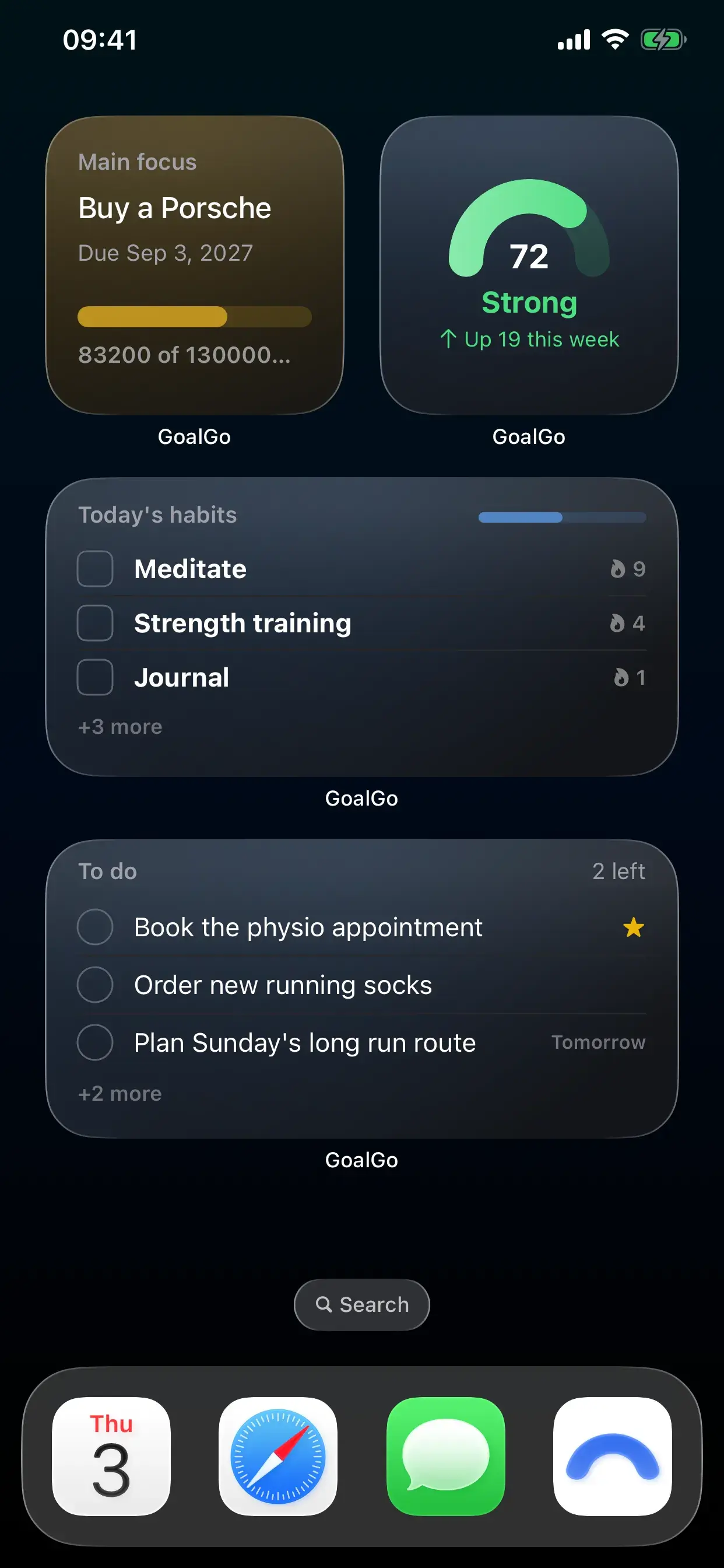
Four home screen widgets. All free.
Your Momentum, your Main focus, today's habits and your to-dos, on the iPhone home screen without opening the app. Every widget is included on the free plan.
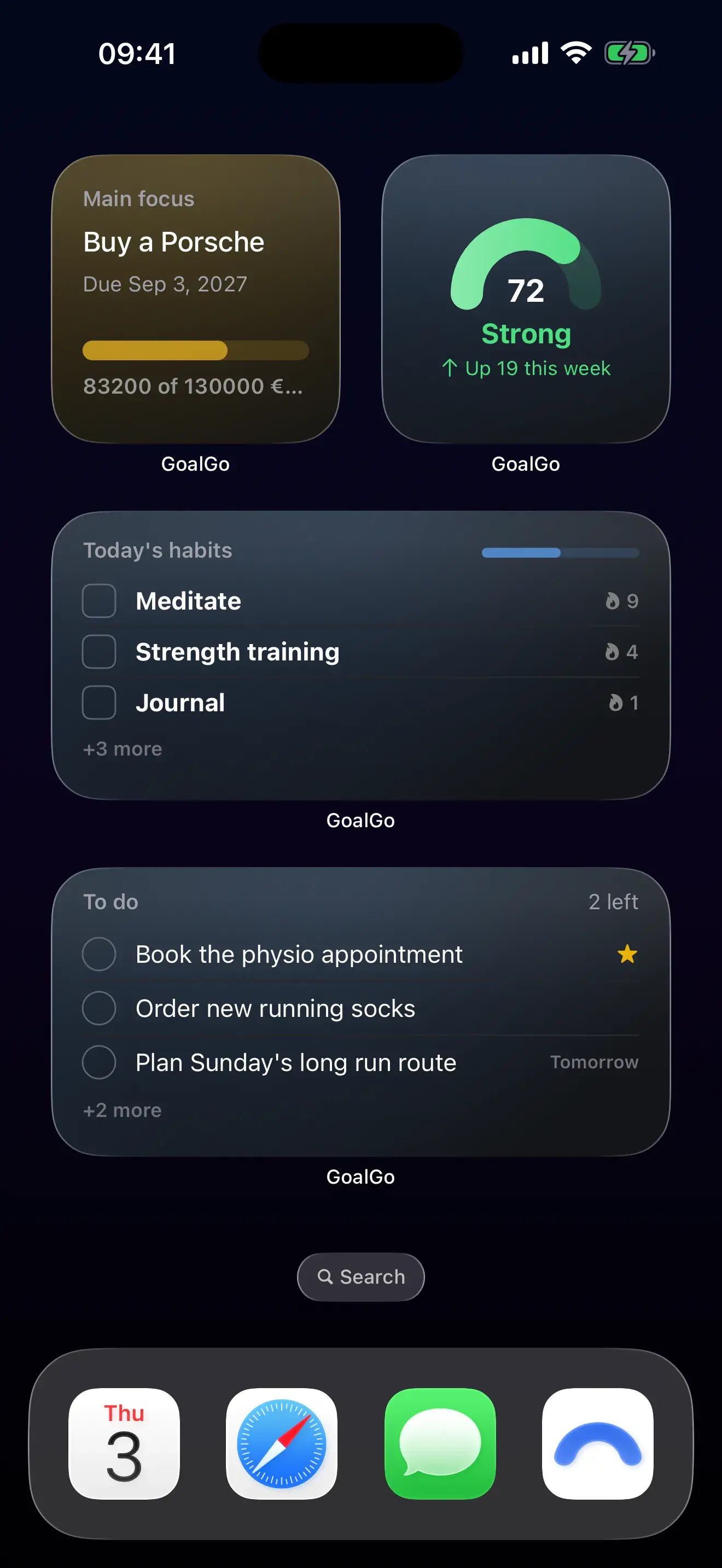
The four
What each widget shows and where it takes you.
| Widget | Sizes | Shows | Tap opens |
|---|---|---|---|
| Momentum | Small, medium | Your score, its level and whether you're up or down this week. | The Momentum screen |
| Main focus | Small, medium | Your pinned goal, its deadline and its progress bar. | That goal |
| Today's habits | Medium, large | What's left today, with streaks, and a progress bar for the day. | The habit you tap |
| To do | Medium, large | Today's and tomorrow's to-dos, starred items first. | The Today screen |
Adding a widget
Three taps to put it on your home screen.
Touch and hold an empty spot on your iPhone home screen, tap the plus button, search for GoalGo, pick a widget and a size, then tap Add Widget.
Honest footnote. GoalGo ships home screen widgets only. There are no lock screen or StandBy widgets, no Apple Watch app and no interactive widgets yet.
FAQ
Questions, answered.
Are the widgets free?
Yes. All four widgets, in every size, are included on the free plan.
How often do widgets update?
The app hands iOS a fresh snapshot every time something changes, so a habit you tick in the app shows in the widget right away. iOS itself decides how often the widget redraws in the background.
Which devices does GoalGo support?
GoalGo runs on iPhone with iOS 17 or later. There is no iPad, Mac or Apple Watch version. Android is coming soon.
Put your goals on your home screen.
Free to start: two goals, four habits, Momentum and all four widgets. Premium unlocks the rest.