

Goals
Goals that actually finish.
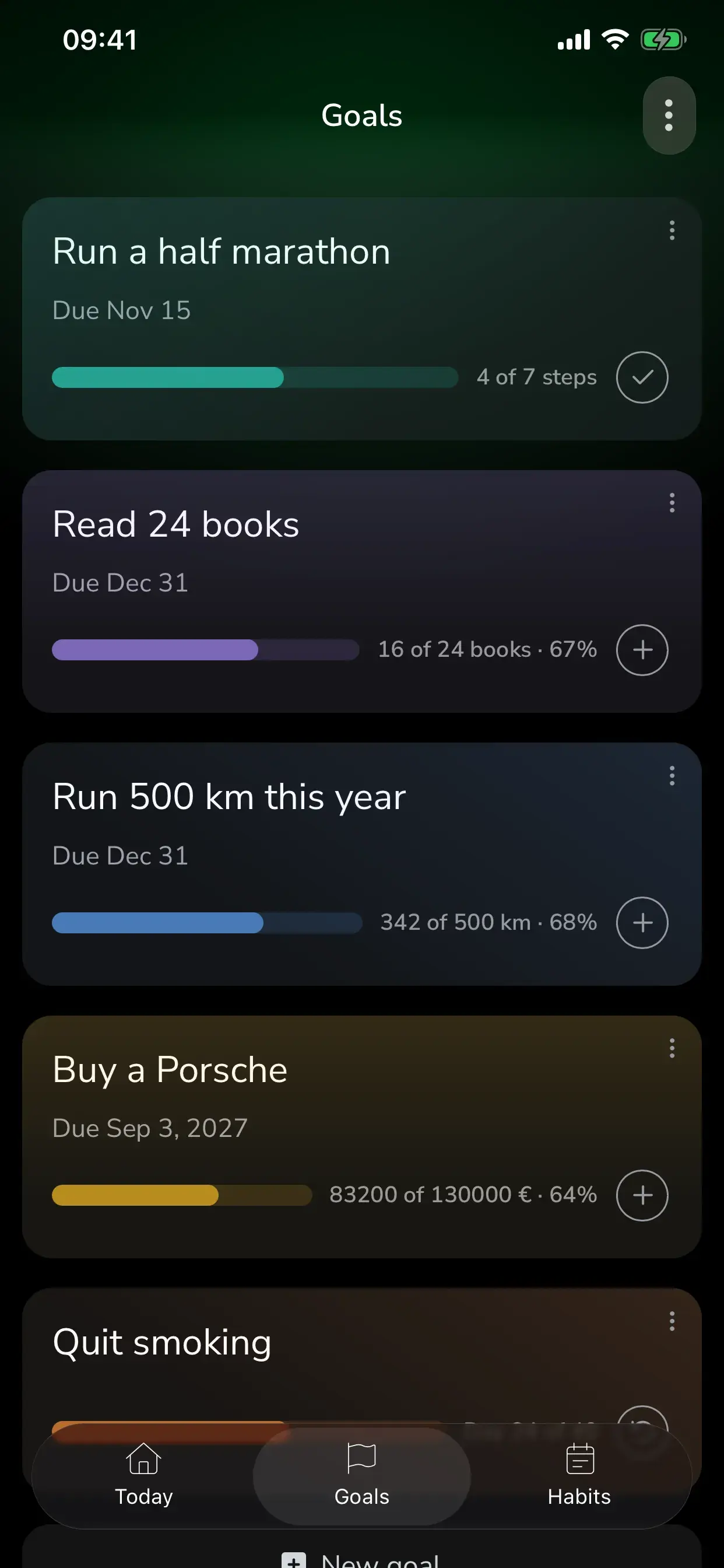
Three kinds of goal, each measured the way it deserves: a number to reach, a checklist to work through, or a habit to quit. Every one gets a progress bar, an optional deadline and a colour.
Three kinds
Pick how the goal is measured.
Reach a number
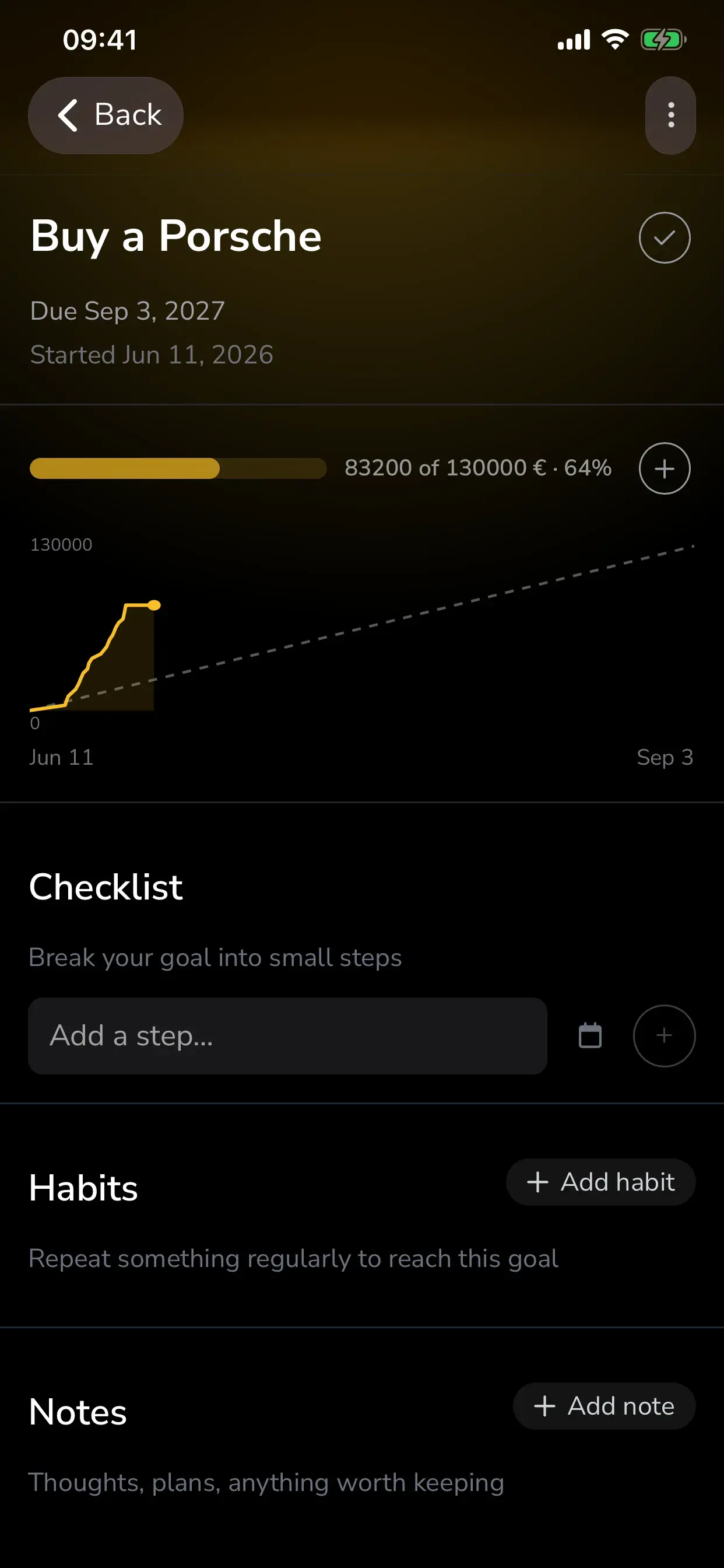
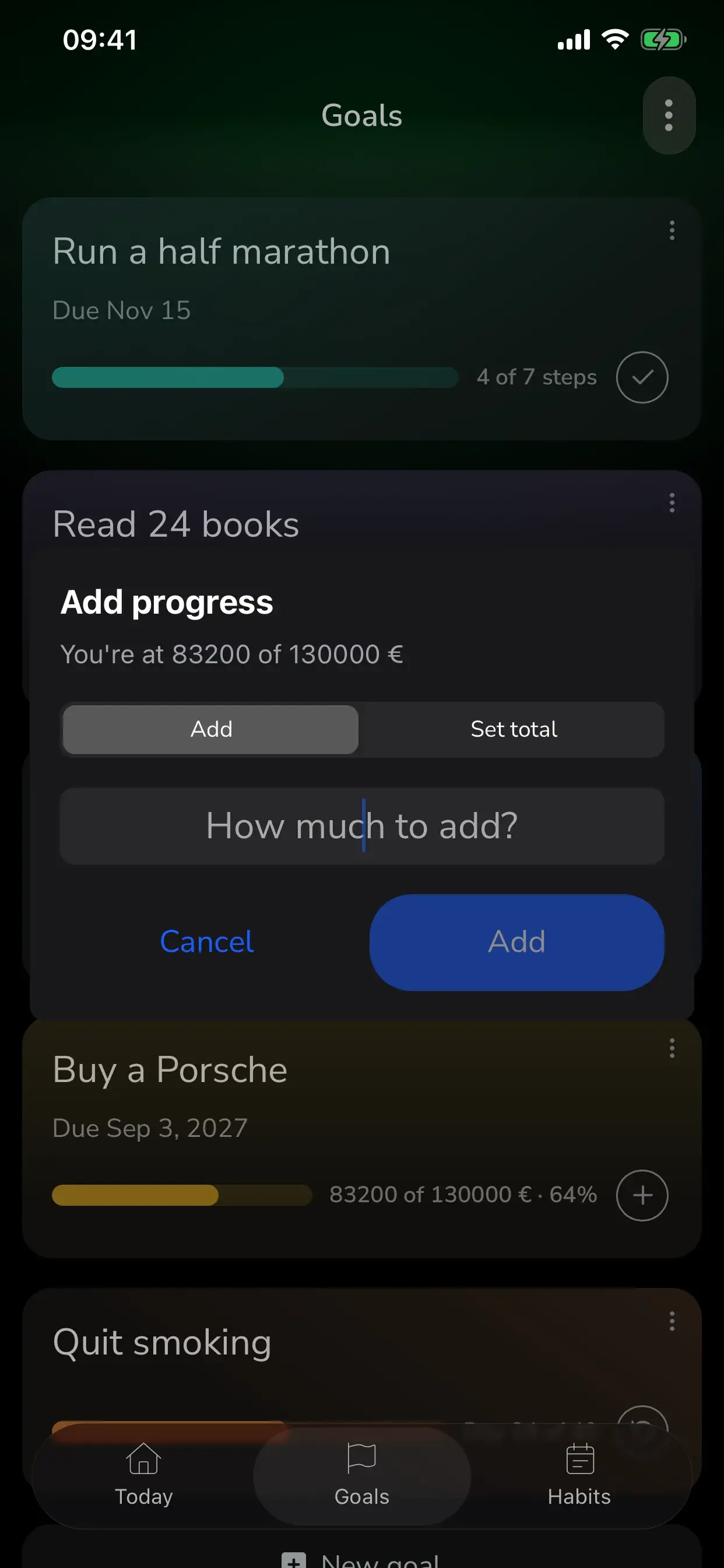
Run 500 km, read 24 books, save €5,000. Log progress in whatever unit you count in, add to it or set the total, and watch a pace line tell you whether you're ahead or behind.
Complete a checklist
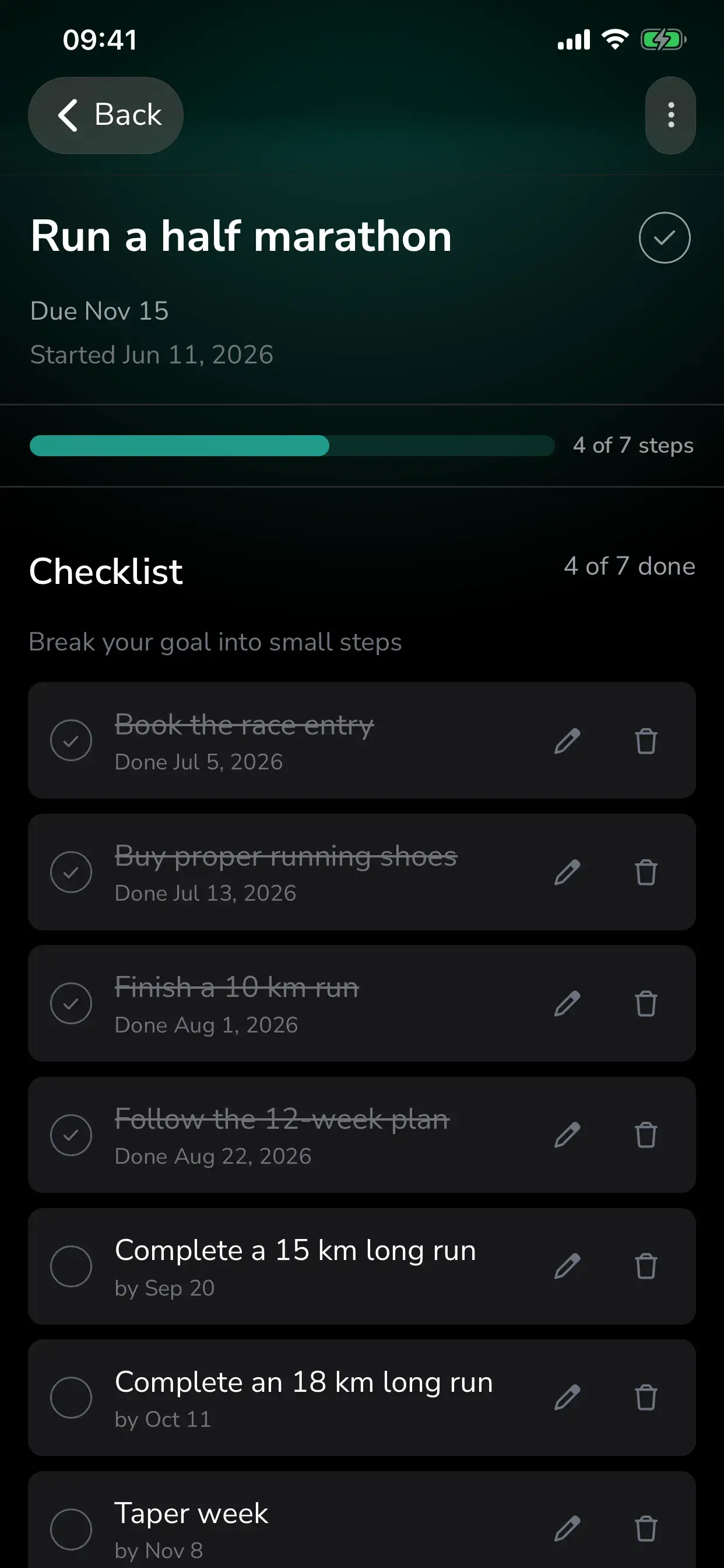
Run a half marathon in seven steps: book the race, buy shoes, finish a 10 km, follow the plan. Each step has its own due date and the goal's progress is steps done.
Quit something
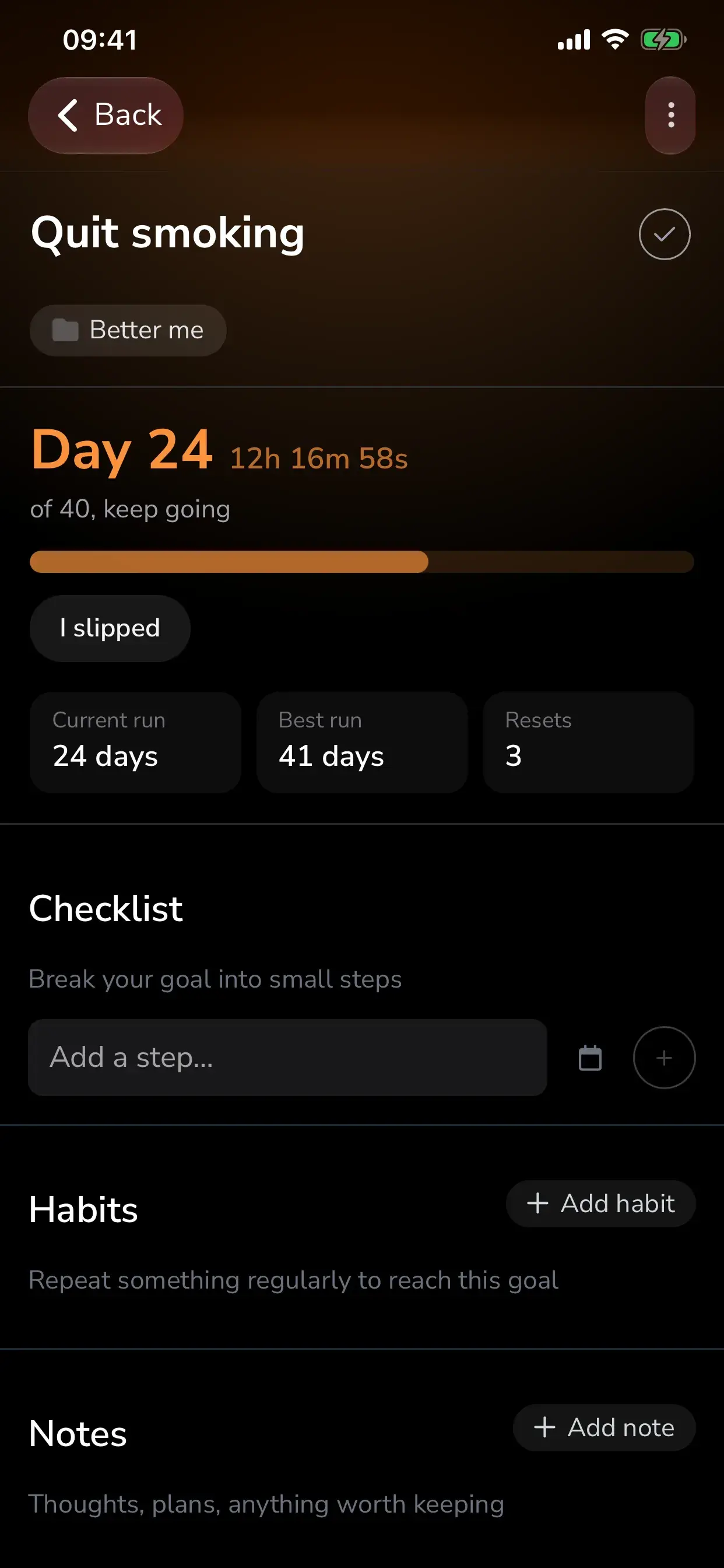
Count the days since you stopped, with an optional target or an open-ended count-up. Slipped? "I slipped" starts the count again from today, and you keep your current run, your best run and how many times you reset.
Progress
Log it in seconds. See the pace at a glance.
Tap the plus on any counter goal to add an amount or set the total. The progress chart draws a pace line from start date to deadline, so you know whether today's number is on track.
- Your own units: km, pages, hours, €, workouts, anything you count.
- Optional deadlines: this week, this month, in 3 months, or a date you pick.
- A start date, so the pace line begins where you did.
- Every logged progress adds +3 Momentum, finishing a goal adds +10.
Steps and notes
Break it down. Keep the thinking next to it.
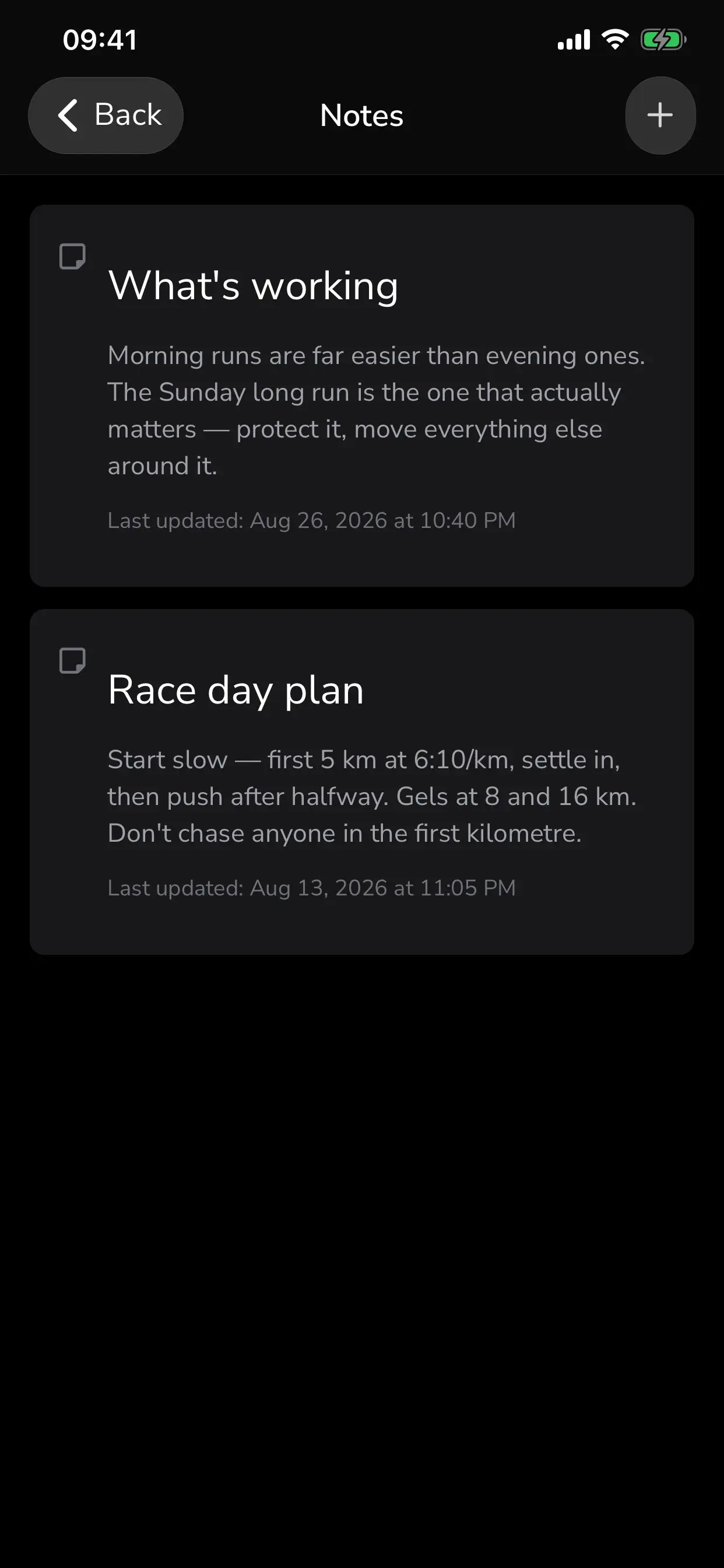
A checklist turns a big goal into small steps with their own dates. Notes hold the plan, the why, and anything worth keeping, right on the goal.
- Checklist steps each with a due date and a done date.
- Notes on any goal: thoughts, plans, links, anything.
- Eight goal colours, so your list reads at a glance.
- Archive a goal to pause it, or mark it done and find it under Completed.
Main focus
Pin the one goal that matters most right now.
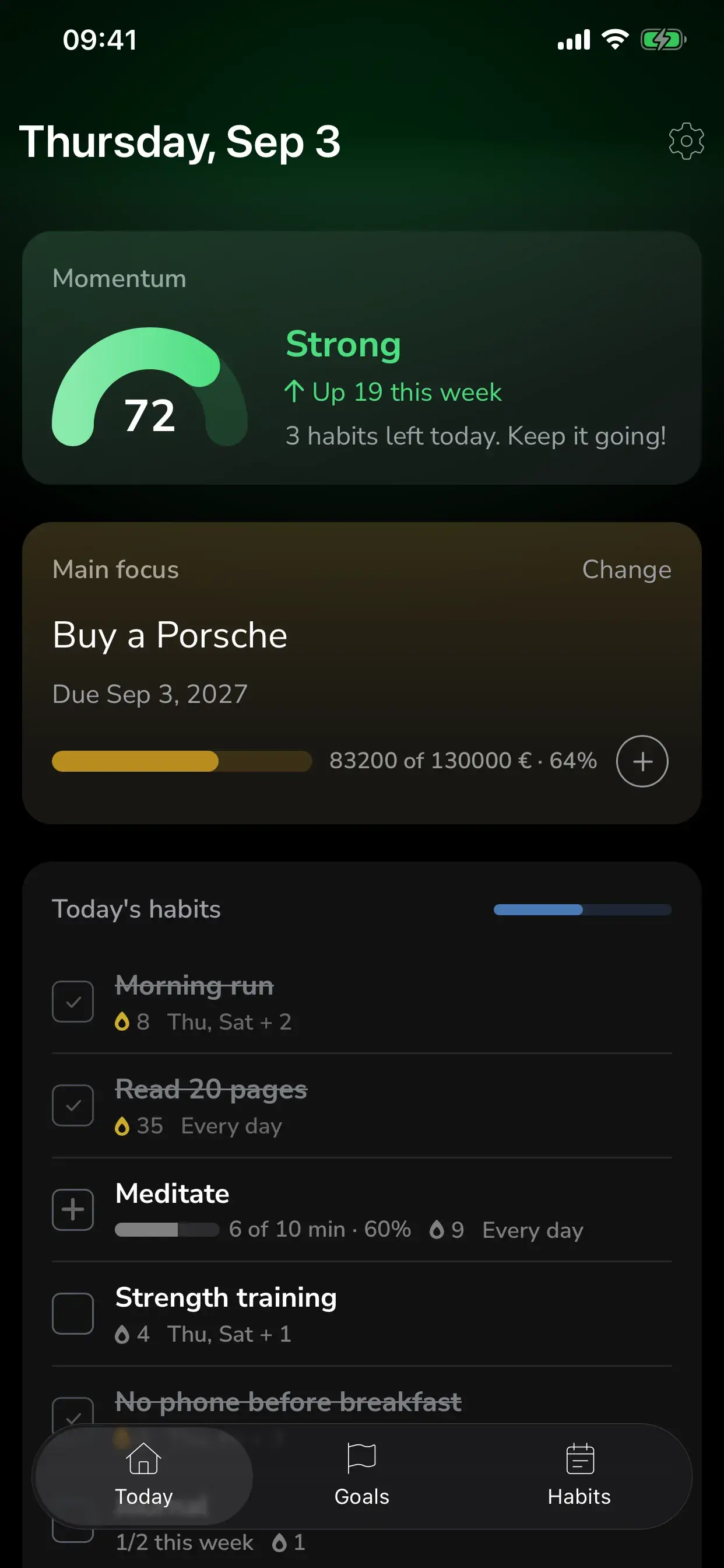
Your Main focus sits at the top of the Today screen and in its own home screen widget. Change it whenever priorities do.
- One pinned goal, always one tap away.
- Link habits to goals: "Read 20 pages" works towards "Read 24 books".
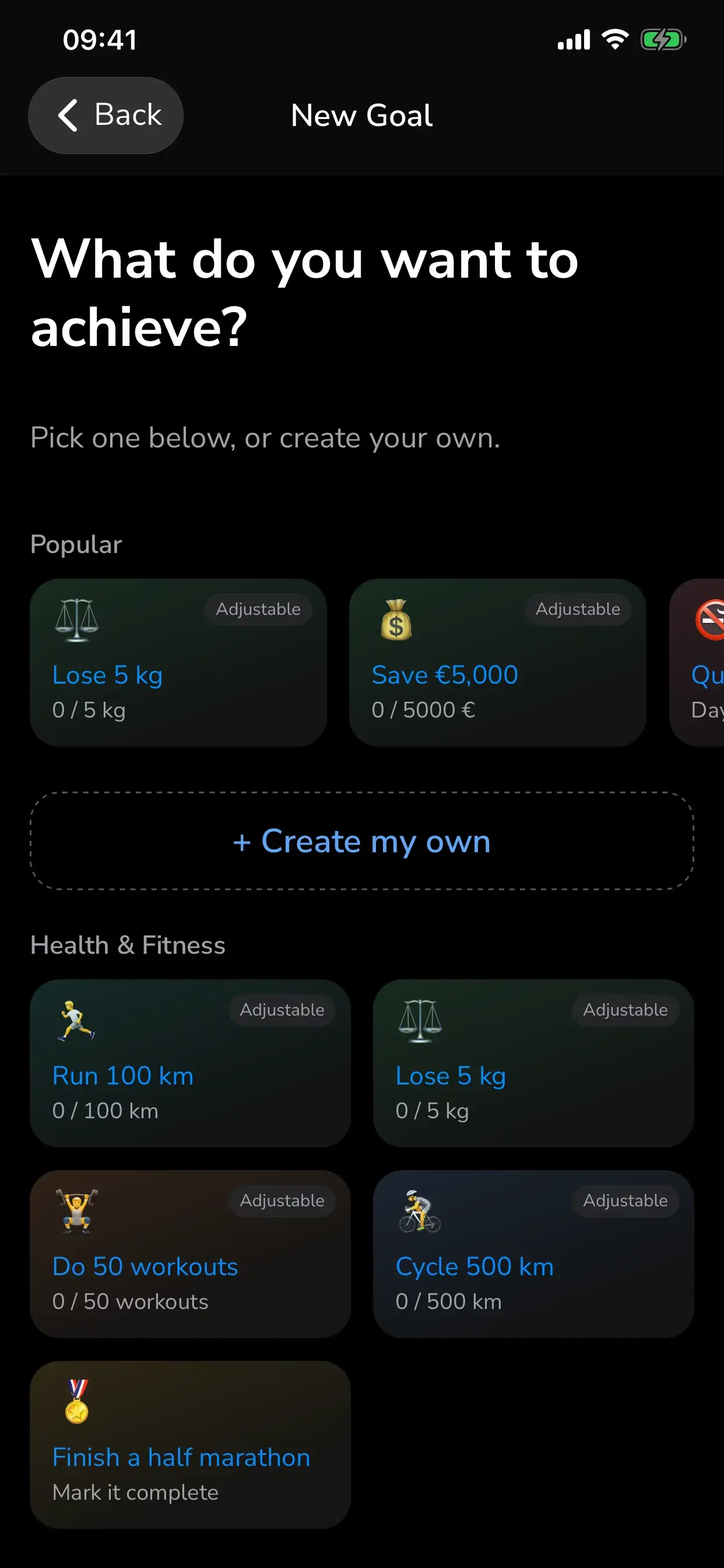
- 29 templates across health, learning, money, career and lifestyle to start from.
Goal lists
Group your goals, and open one list at a time.
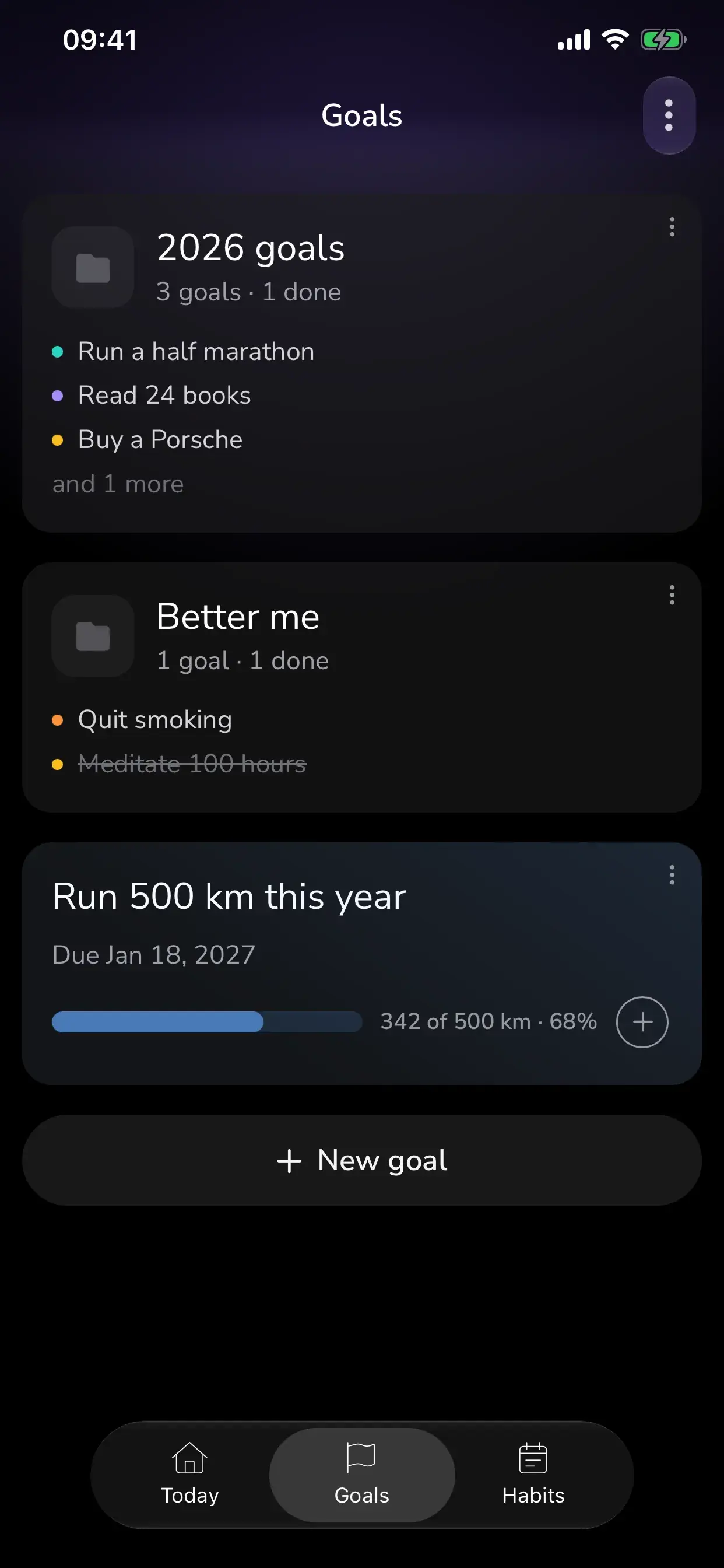
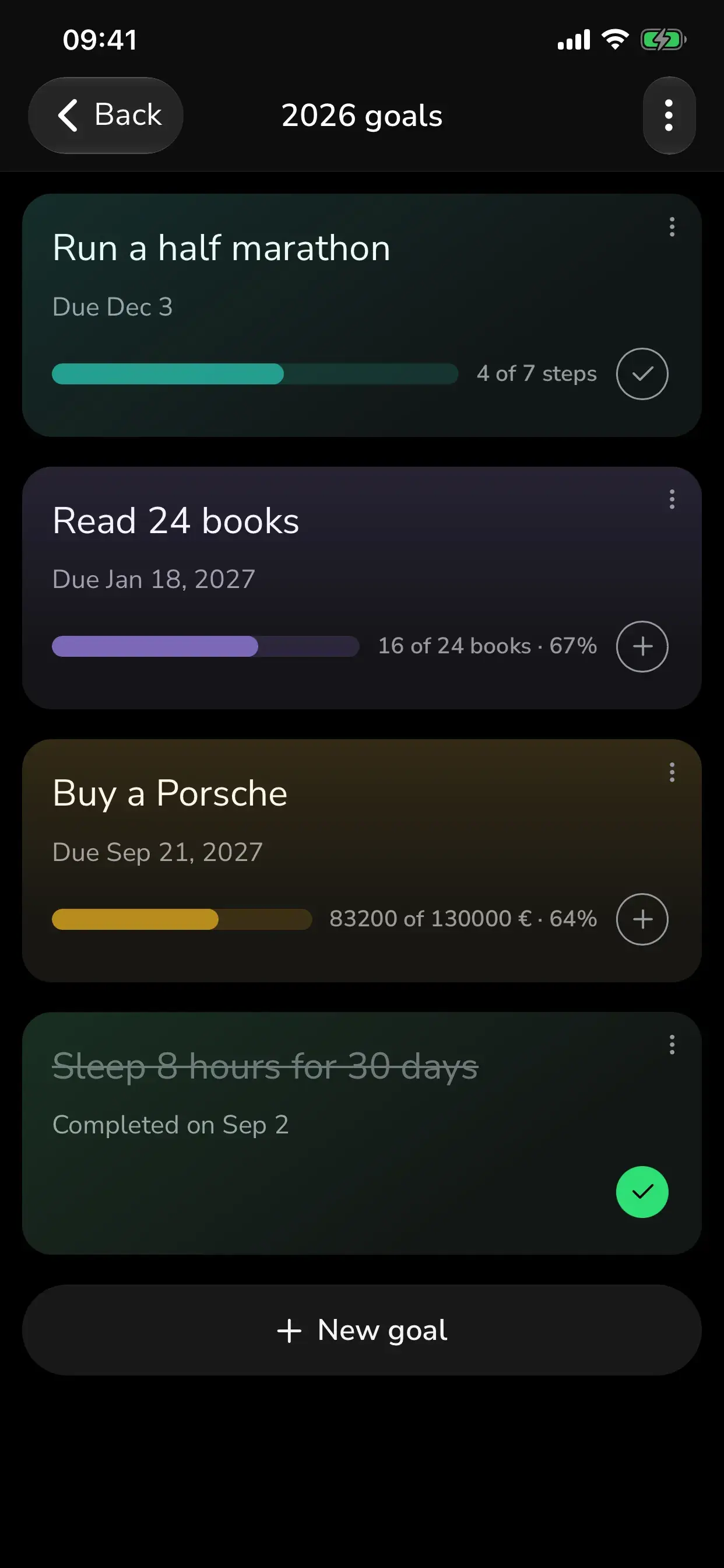
New in 2.3. Keep this year's goals apart from the everyday ones. Each list is a card on the Goals tab showing what is inside and how far along it is, and it opens on its own.
- Name a list anything you like — 2026 goals, Better me, Health, Money, Learning.
- Move a goal in from its ••• menu, or several at once from inside the list.
- Each card shows how many goals it holds and how many are done.
- Remove a list and the goals in it are kept — they move back to the Goals tab.
- Part of Premium. On the free plan the Goals tab shows you what a list looks like.
One list at a time
Open a list and the rest gets out of the way.
Tap a list card and you get just those goals, in full, with their colours and progress. Goals that belong to no list stay on the Goals tab where they always were.
Quit goals
Your current run, your best run, and every reset.
A quit goal counts the days since you stopped. Since 2.3 it also keeps the record: how long you are going now, the longest you have ever managed, and how many times you have started over.
- Set a target — 30 days, 40 days — or leave it counting up, open-ended.
- "I slipped" restarts today without argument and without losing the record.
- Best run stays on the goal, so a slip costs you the run, not the achievement.
Done
Finishing feels like something.
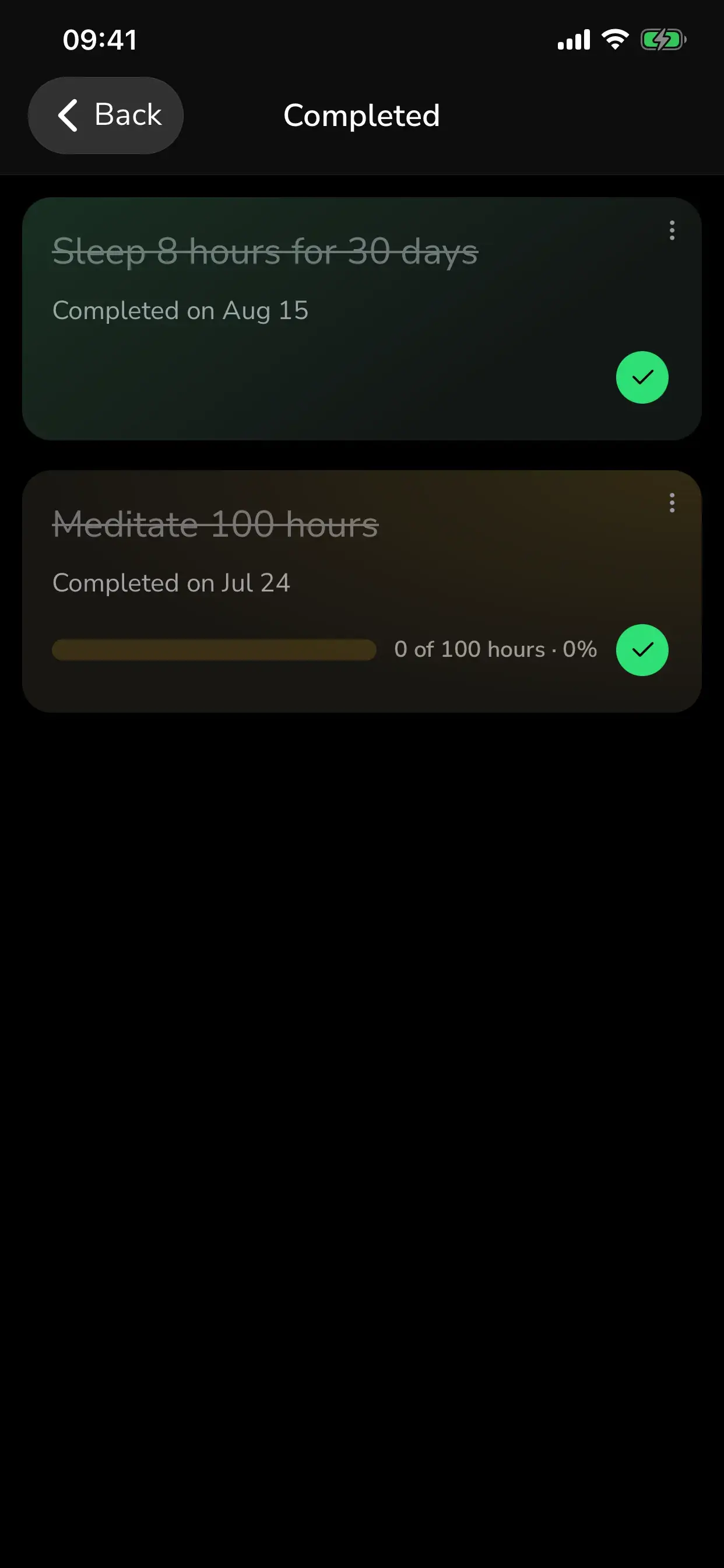
Mark a goal as done and it moves to your Completed screen, a record of what you actually pulled off. Nothing is ever hard-deleted, so the history stays yours.
FAQ
Questions, answered.
Do goals need a deadline?
How many goals can I have for free?
What are goal lists?
How do quit goals count?
Is GoalGo free?
Set a goal worth finishing.
Free on iPhone. Two goals and four habits to start, Premium for unlimited.